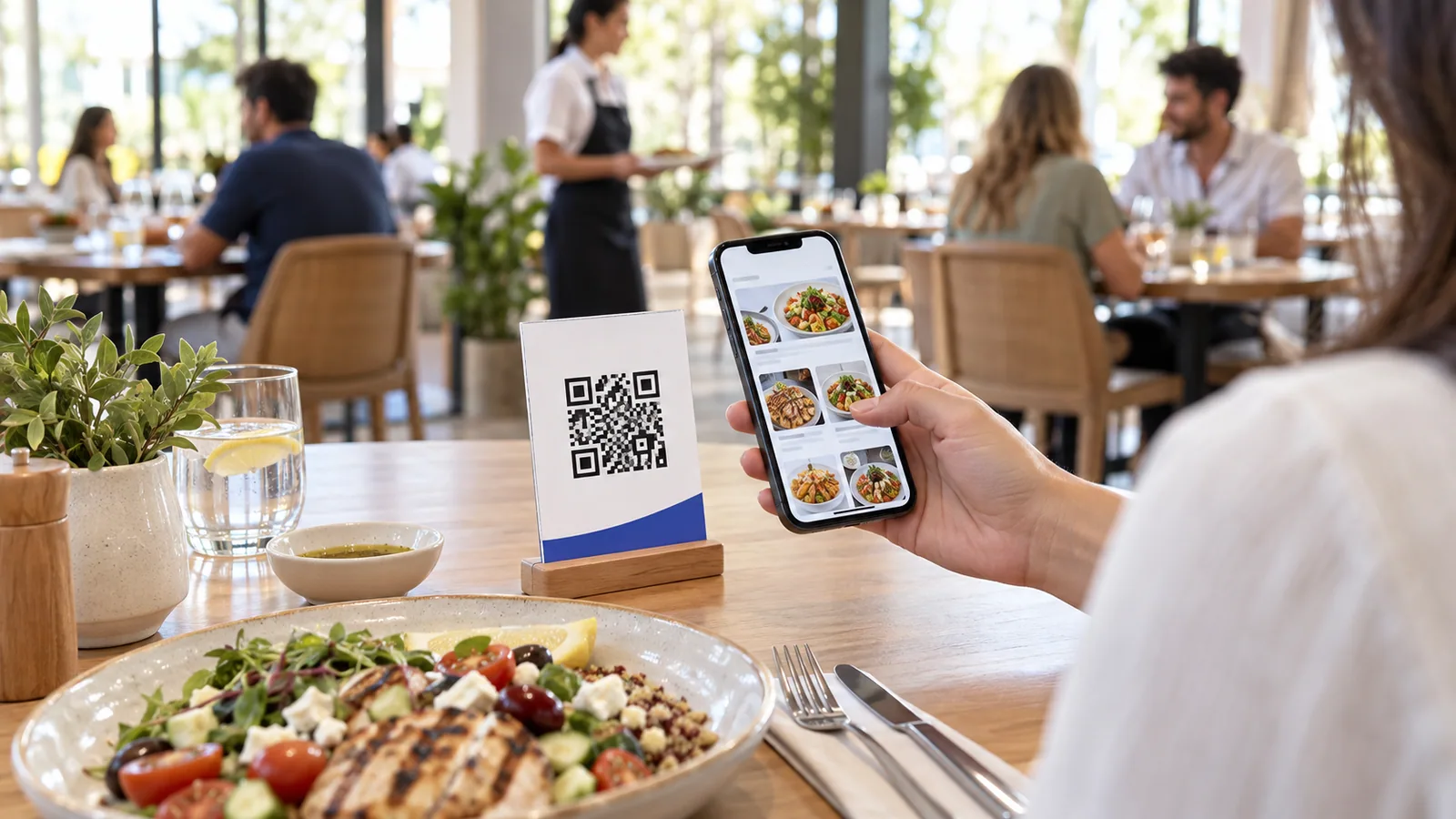
A QR menu is a digital version of a business’s menu that guests open by scanning a QR code with their phone or tablet. The code usually appears on a table, counter, room card, receipt, display, or printed sign. Once scanned, it opens the menu in a web browser, so there is no app to download and no account required just to browse.
You may also hear it called a digital menu, contactless menu, or online menu. These terms are related, but they are not exactly the same: the QR code is simply the shortcut that opens the experience, while the digital menu is the actual content and functionality behind it.
How does a QR menu work?
The guest experience is intentionally simple:
- The business creates its digital menu and receives a unique web address.
- A QR code is generated for that address.
- The business prints or displays the code where guests can see it.
- A guest opens the camera on a smartphone and points it at the code.
- The menu opens immediately in the phone’s browser.
Behind those five steps, a good platform gives the business control over categories, products, prices, availability, languages, currencies, branding, and ordering options. Changes can be published without replacing the printed QR code, because the code continues to point to the same live menu address.
QR menu versus a PDF menu
A PDF opened by a QR code is technically a digital menu, but it often behaves like a sheet of paper placed on a small screen. Guests may need to pinch, zoom, and move around the page. Text can be difficult to read, and updating the menu may require exporting and uploading a new file.
An interactive QR menu is built for phones from the beginning. It can include searchable categories, clear product cards, photos, descriptions, variants, add-ons, allergy information, availability, translations, and ordering controls. Instead of enlarging a fixed page, guests move naturally through a responsive interface.
The practical difference is this: a PDF shows a menu, while an interactive digital menu can help guests use it.
Why businesses use digital menus
Update prices and availability instantly
Printed menus become outdated when a price changes, an item sells out, or a seasonal offer ends. A digital menu lets the owner update the live version from one workspace. Guests see the latest information the next time they open or refresh it.
Serve guests in their preferred language
A multilingual menu can present translated category names, product names, descriptions, venue information, and interface labels. Guests can choose a language they understand without asking for a separate printed menu.
Present products more clearly
Photos, structured descriptions, variants, optional extras, calorie information, and allergy tags can help a guest understand what is being offered. Businesses can also highlight featured products, new arrivals, or special offers without redesigning an entire menu.
Reduce repeated printing
A QR code can remain in place while the content behind it changes. Businesses may still keep printed menus for accessibility, preference, or backup, but they no longer need to reprint every copy after each routine update.
Connect browsing with ordering
If ordering is enabled, a guest can add products to a cart and submit an order from the same experience. Depending on the venue’s setup, that order can be handled as dine-in, delivery, direct online ordering, or a prepared WhatsApp message.
Understand what guests engage with
A digital menu can provide useful signals that paper cannot, such as menu views, popular items, order activity, and general visitor trends. These insights can help owners improve product placement, offers, and menu organization.
What makes a good QR menu?
A QR code alone does not guarantee a good experience. The menu behind it should be:
- Fast: guests should not wait for oversized images or unnecessary scripts.
- Mobile-friendly: text, buttons, categories, and checkout controls should work comfortably on a small screen.
- Easy to scan: the printed code needs enough contrast, quiet space around it, and a sensible physical size.
- Current: prices, availability, opening hours, and contact details should be maintained.
- Accessible: information should not depend only on color or imagery, and a reasonable alternative should be available when needed.
- Secure: guests should be sent to the business’s expected domain over HTTPS, especially when accounts or payments are involved.
A QR menu example with TableTag
Imagine a restaurant called Seaside Kitchen. The owner creates a TableTag workspace, adds categories such as Breakfast, Salads, Main Courses, and Desserts, then adds each item with its price, photo, description, and available options. The owner also prepares Arabic, English, and French versions and chooses the accepted currencies.
TableTag generates a QR menu for the venue. The owner can use one general code for browsing or create table-aware QR codes. With table-aware ordering enabled, each secure code identifies its table automatically, so a guest does not need to type “Table 7” and cannot simply change a visible table number in the link.
When a guest scans the code, the menu opens in the browser. The guest can:
- switch to a preferred language and currency;
- browse categories, subcategories, products, photos, and descriptions;
- view variants and add-ons where available;
- see when an item is unavailable;
- add items to an order if the venue accepts ordering; and
- send or place the order using the method the business has enabled.
The restaurant can then manage incoming orders from its workspace, while menu edits appear for future visitors without printing a new set of codes. This is the difference between simply linking to a document and operating a live digital menu.
You can open a live TableTag menu example to see how the guest experience works, or explore the TableTag features available to businesses.
Are QR menus only for restaurants?
No. The same idea works anywhere customers need to browse a structured list of products or services. Cafés, bakeries, sweet shops, hotels, room-service teams, beach venues, spas, event companies, and retail stores can all use a digital menu or catalogue. The layout and ordering flow should adapt to the business rather than forcing every venue to behave like a restaurant.
Do customers need to install an app?
No. A web-based QR menu opens in a normal mobile browser. Guests only need a camera or QR-scanning feature and an internet connection. If a business offers a save or bookmark option, returning guests may also keep the menu on their phone for later access.
Can a QR menu accept payments?
It can, but payment is an optional layer rather than a requirement. Some businesses use a QR menu only for viewing. Others accept orders but collect payment at the venue or on delivery. A complete setup may also connect the ordering flow to an online payment processor. The right choice depends on the business model, local payment preferences, and the plan or features enabled by the platform.
Can the menu be changed after printing the QR code?
Yes, when the QR code points to a stable menu address. The owner can edit the content behind that address while keeping the same printed code. This is one of the most useful advantages of a managed digital menu.
Is a QR menu worth it for a small business?
For many small businesses, the main value is flexibility. A café can mark an item unavailable, a bakery can update the day’s selection, and a small hotel can offer room-service information in several languages without maintaining multiple printed editions. The system should remain simple enough that everyday changes do not require a designer or developer.
Getting started
Start with a clear menu structure, concise product names, accurate prices, and compressed photos. Test the QR code on more than one phone, place it where it is easy to scan, and keep a fallback available for guests who cannot or prefer not to use it.
With TableTag, a business can create a professional QR menu, customize how it looks, support multiple languages and currencies, and enable the ordering methods that fit its operation. The goal is not merely to replace paper with a screen. It is to make browsing, choosing, ordering, and managing the menu easier for everyone involved.